

NetTrack transforms your Apple Watch into a tennis scoring assistant.
- Real-time tracking of:
- Game score - Games won per set - Serving player - Deuce number - Tiebreak score - Sets won.
- Customizable match options
- Tiebreak: Choose between 7 or 10 points. Or play win-by-two sets.
- Sets per match: Select between best-of 3 or 5 sets.
- No-Ad: Play out unlimited deuces, or play a deciding game point at the selected deuce number.
- Audio and haptic feedback
- NetTrack announces the game score and provides haptic feedback whenever the score is updated.
- Tiebreak assist
- NetTrack will remind you when it's time to switch court sides according to the Coman Tiebreak Procedure.
User Guide
Everything you need to know about scoring tennis matches with NetTrack on your Apple Watch and iOS device.
Game Tracker
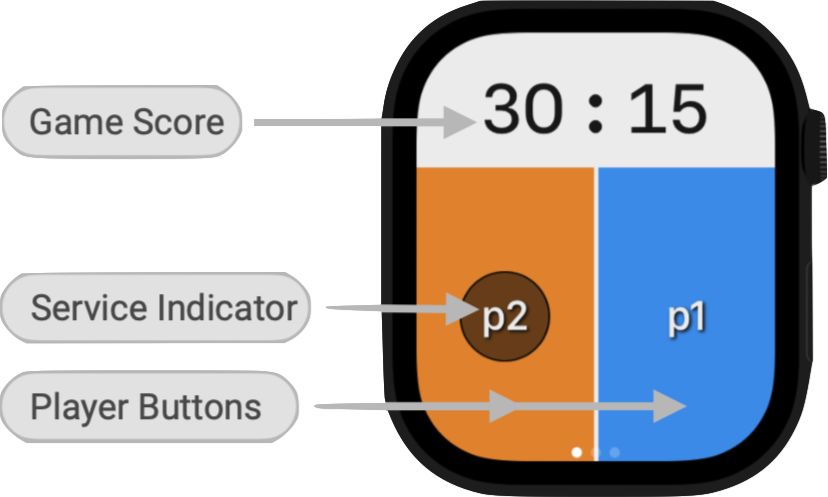
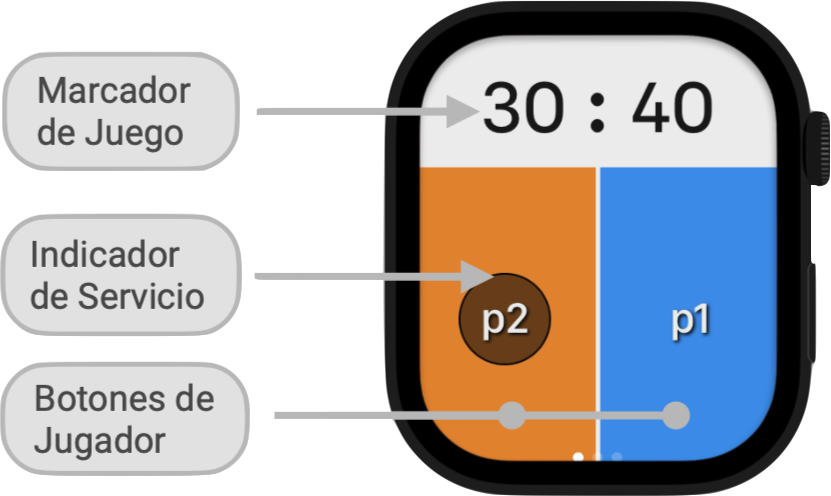
- Choose to be either Player 1 (blue) or Player 2 (orange) for the length of a match. Remember who you are :)
- Tap your player button when you score a point. Tap your opponent's button when they score.
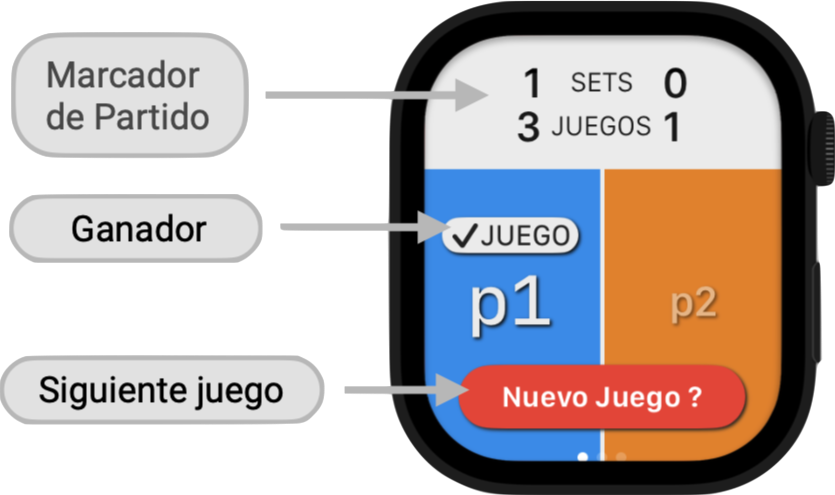
- NetTrack will keep score and calculate the winner of each game, set and match.
- The Service Indicator highlights the player currently serving. By default, Player 1 will serve first at the beginning of a new match. The serving player button will always be displayed on the left side of the screen.
- NetTrack will announce each point aloud if this option is enabled (see Settings → Voice). The current server's score will always be announced first.
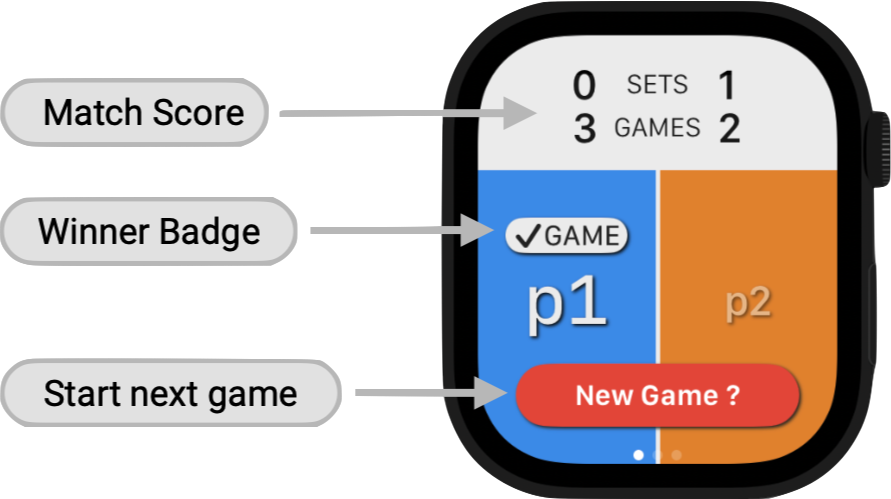
- Tap the Scoreboard to toggle between the Game Score and Match Score displays.
- Game Score shows the points scored during the current game.
- Match Score shows the games and sets won by both players during the current match. This display always shows the score for the serving player first, in alignment with the player buttons.
- Last-point undo. If you add a point by mistake, long-press any player button to roll it back and revert to the previous point in the game.
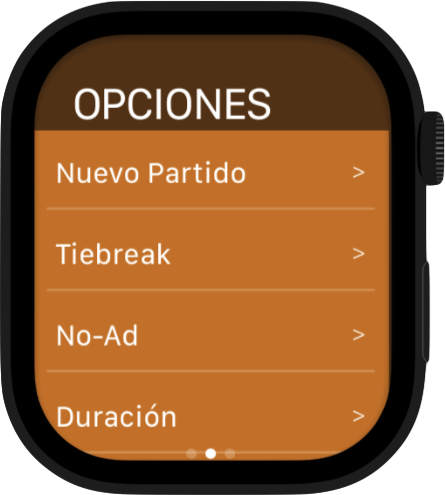
- Swipe-left to access the Options and Settings menus.
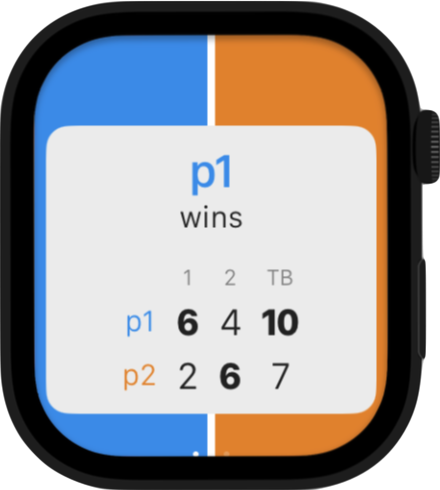
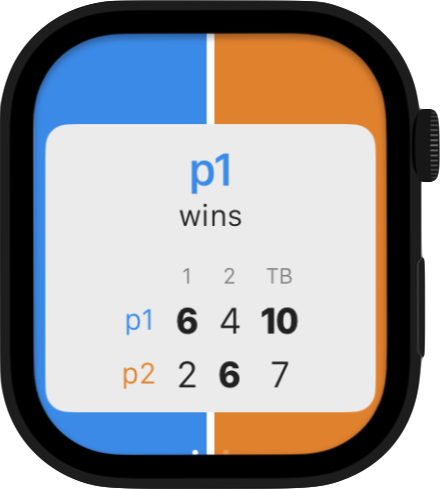
- At the end of a match, tap the End Match button to view and save the final score.
- Swipe-left to dismiss this screen and access the Options menu to start a new match.
- Last-point undo remains enabled until you tap 'End Match'.
Options
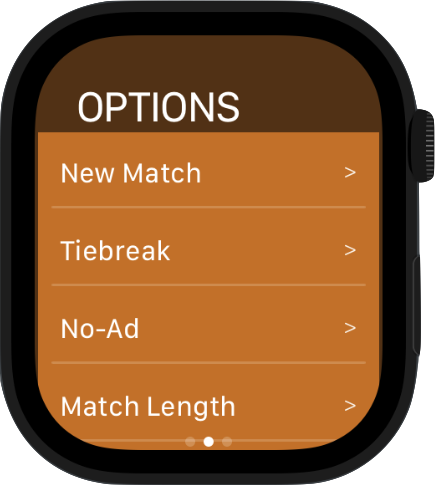
- New Match. Start a new match with the selected options.
- Tiebreak. Select the length of set and match tiebreaks (7 or 10 points), or select win-by-two.
- No-Ad. If this option is enabled, a Game Point or 'Golden Point' will be played when the players reach a certain deuce number, configurable from 1 to 3. The winner of that single point wins the game.
- Match Length. Select best-of-3 or best-of-5.
Settings
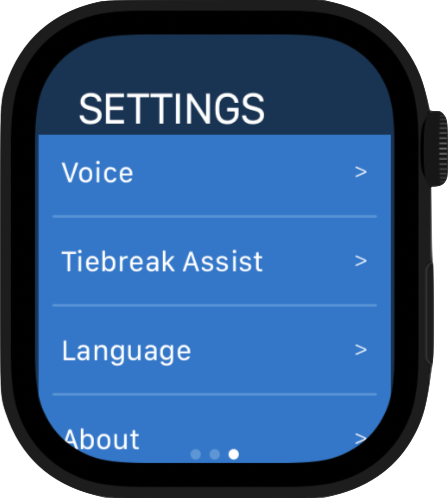
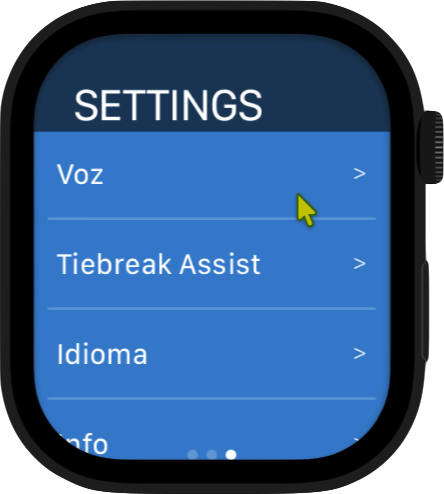
- Voice. Toggle spoken announcements on and off. When enabled, NetTrack will announce the game score every time a point is scored, as well as the game, set or match winner.
- Tiebreak Assist. During tiebreaks, if this option is enabled NetTrack will announce when it's time to switch court sides, following the Coman Tiebreak Procedure.
- Language. Select NetTrack's language: English or Spanish.
Match Log
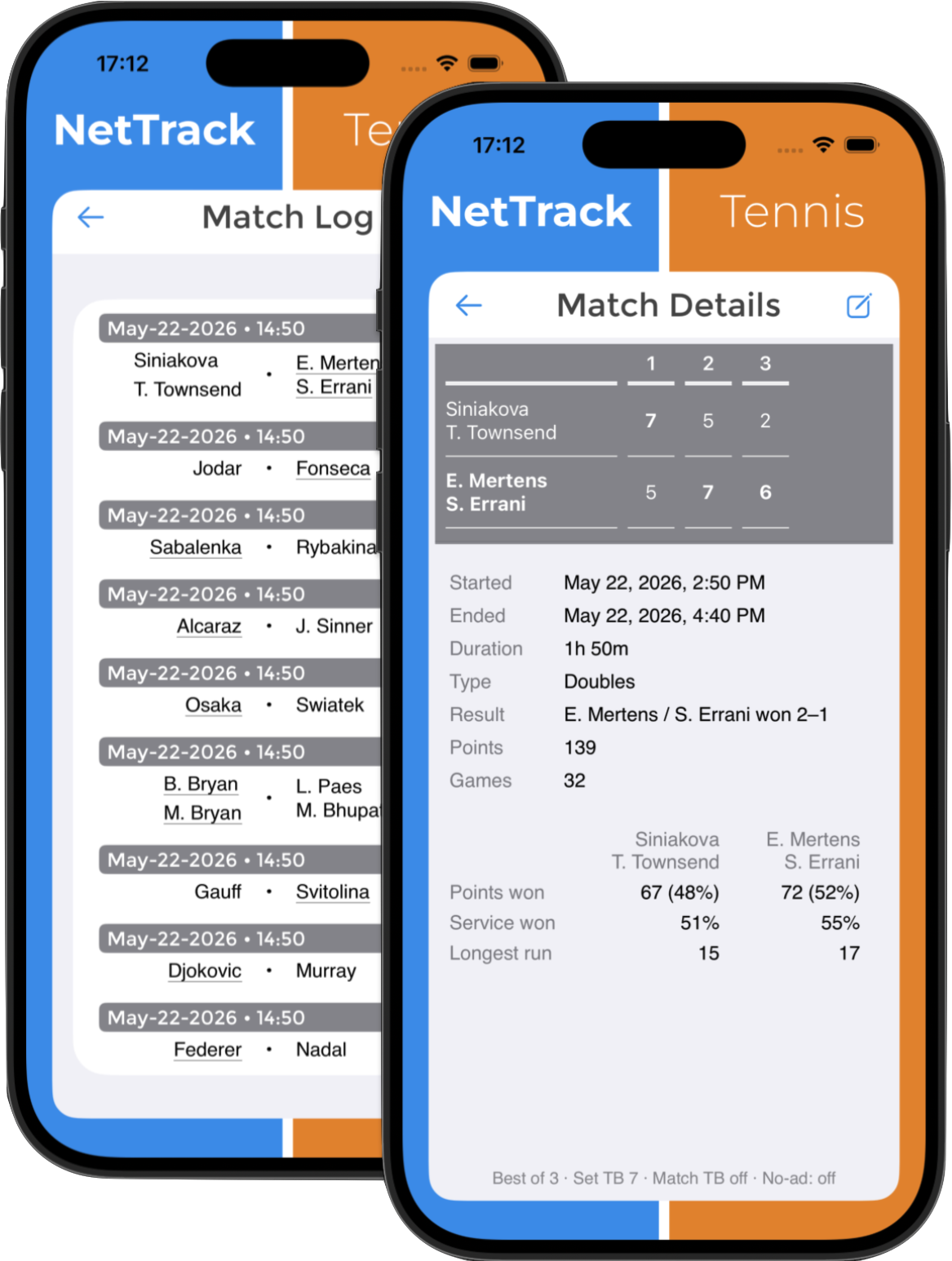
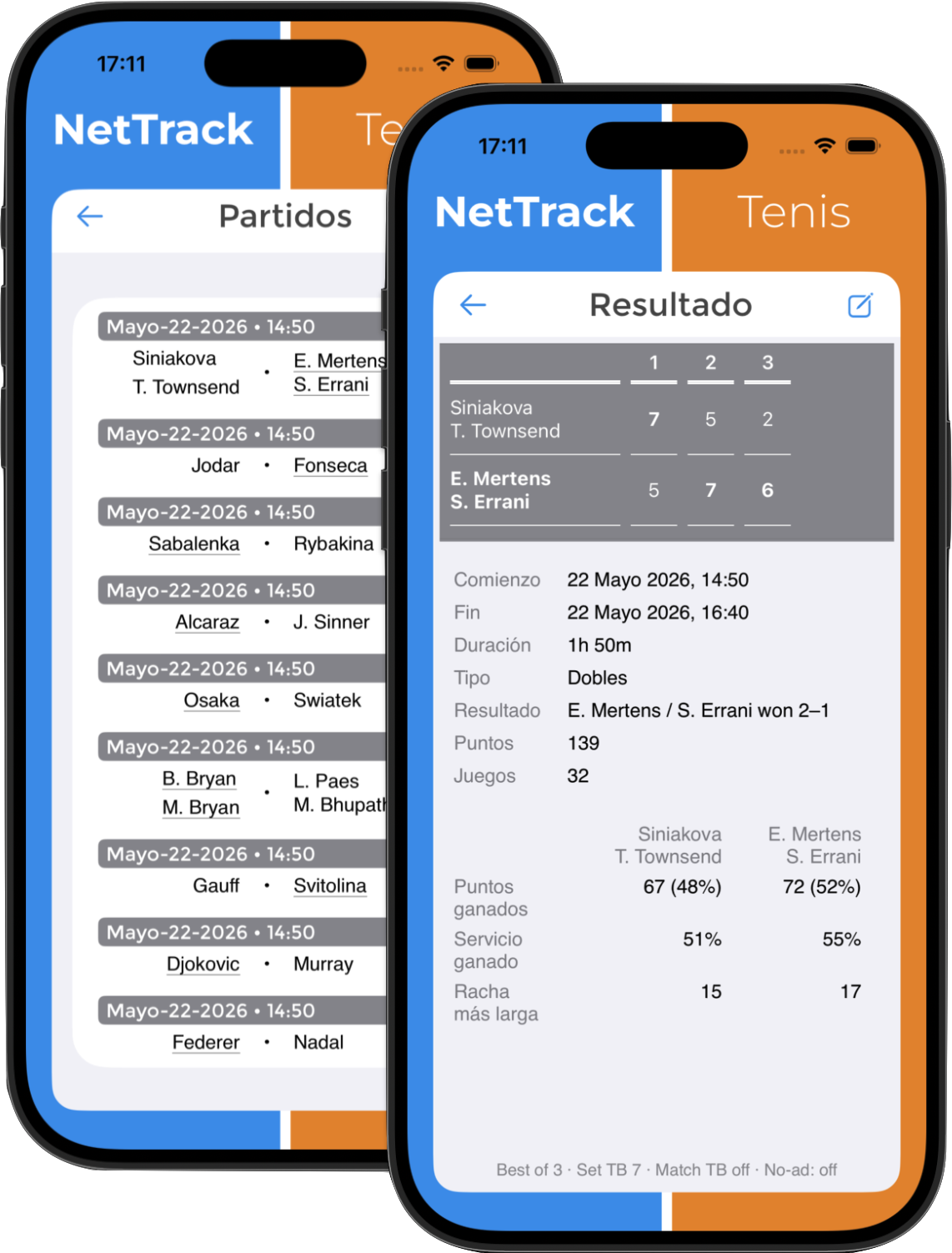
- After tapping 'End Match' on your watch, the final score is saved.
- Access scores and details from completed matches on your iOS device's Match Log.
- Tap on a match row to view a match's details.
- Tap the Edit button to edit player names and to change the match type as needed — Singles or Doubles.
- Note: a network connection is needed for match data to sync from your Apple Watch to your iOS device.